Is Your AI Agent Leaking Secrets? How to Audit .claude and .cursor Config Folders
2.4% of repos using AI coding tools are leaking secrets through config folders. Here is a step-by-step audit guide to find and fix credential leaks in .claude, .cursor, and .continue directories.

Is Your AI Agent Leaking Secrets? How to Audit .claude and .cursor Config Folders
2.4% of public repositories using AI coding agents have verified leaked credentials sitting in plain view. Not in your code. In the config folders your AI tools created.
The 2.4% Leak: A New Security Frontier
A silent credential leak is active in many development workflows right now. Scans of public repositories show that approximately 2.4% of projects using modern AI coding agents like Claude Code, Cursor, and Continue have inadvertently leaked secrets into version control. These are verified API keys, database connection strings, and cloud credentials sitting in public view. The culprit is not the code you wrote; it is the configuration folders your AI tools created automatically.
The 2025 GitGuardian State of Secrets Sprawl Report found that the number of secrets detected in public GitHub commits increased 67% year-over-year in 2024, with developer tooling configuration files representing the fastest-growing exposure category. AI coding agents accelerate this trend because they create configuration directories that developers are not trained to treat as sensitive.
As the industry transitions from AI-assisted autocomplete to autonomous AI agents, these tools require deeper access to files, shell history, and environment context. This expanded access creates a new class of configuration directories that developers routinely commit to version control without auditing.
Why .claude and .cursor Are Different From .env Files
For years, developers learned to add .env and .pem files to .gitignore. The new wave of AI agents creates specialized directories that require the same treatment, but for different reasons.
State persistence stores execution history. These folders log whitelisted commands and tool execution history. When you pass a secret to a command through the agent, that secret can appear in a local JSON log that the agent uses to "remember" you authorized it. That log file is inside the agent config directory and commits silently with the rest of the project.
Context indexing can capture secrets indirectly. Tools like Cursor index your entire project to provide better code completions and answers. When .gitignore rules are not perfectly synchronized between your editor and your version control configuration, the agent can "see" a secret, include it in a conversation log or prompt summary, and that summary ends up committed.
Team sharing habits create dangerous precedents. Many engineering teams encourage committing these folders to share project-specific agent instructions. This practice is valuable for collaboration, but it establishes a pattern where developers assume the entire folder is safe to commit. The assumption is wrong, and it propagates across every new team member who clones the repository.
Snyk's 2025 Developer Security Report confirms this dynamic: 41% of security incidents traced to developer tooling in 2024 involved configuration files that were unintentionally committed because the team had established a pattern of committing similar files.
The Practitioner's Audit Guide
Securing an AI workflow requires more than a quick glance at the current working directory. This four-step audit addresses both current exposure and future prevention.
Step 1: Search the Entire Git History
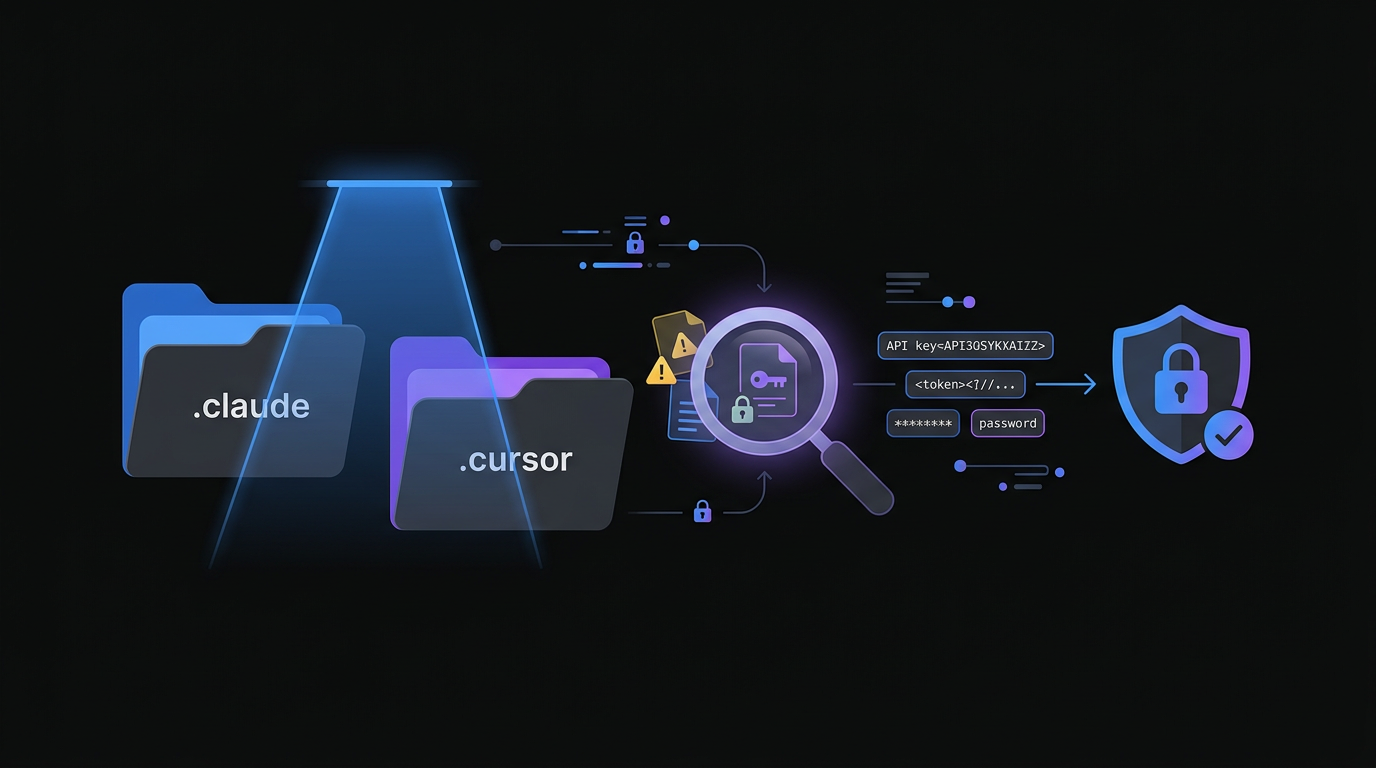 Scanning your entire git history for hidden configuration folders is a critical step in identifying leaked credentials.
Removing a folder from the current commit does nothing if the secret remains in history. Every checkout of that commit re-exposes the credential, and GitHub's code search indexes historical commits. Use specialized tools that scan specifically for AI-related paths across the full git history. The community-maintained claudleak scanner targets these specific directories and surfaces credential patterns in JSON and local state files that generic secret scanners miss.
Run this scan against all public and private repositories in your organization. Focus on files ending in .json or .local within agent directories. These are the most common locations for whitelisted command logs that contain raw credentials.
# Scan entire git history for AI config directories
git log --all --full-history -- ".claude/**" ".cursor/**" ".continue/**"

# Use truffleHog for entropy-based secret detection across history
trufflehog git file://. --since-commit HEAD~100
Step 2: Configure a Global Gitignore
 Configuring a global gitignore file ensures that AI tool directories are never accidentally committed across any of your projects.
Project-level ignore files depend on developers remembering to update them. A global gitignore applies to every project on the machine regardless of which repository the developer opens. This is the single most effective prevention control available.
# Create or update your global gitignore
echo ".claude/" >> ~/.gitignore_global
echo ".cursor/" >> ~/.gitignore_global
echo ".continue/" >> ~/.gitignore_global
echo ".aider*" >> ~/.gitignore_global
git config --global core.excludesFile ~/.gitignore_global
By setting a global excludes file, even a new team member who clones a repository and opens it in Cursor will not accidentally push local agent state to the remote. This control requires no ongoing maintenance once configured.
Step 3: Audit Model Context Protocol (MCP) Configurations
The Model Context Protocol allows AI agents to connect to external tools, databases, and APIs. These connection configurations live inside the agent config folder and frequently contain raw credentials. Audit every MCP configuration file for API tokens used to authenticate with MCP servers, hardcoded database connection strings, and local file paths that reveal sensitive internal naming conventions.
A secondary risk in MCP configurations is prompt injection via repository content. If an attacker can trick an agent into reading a malicious repository, they can attempt to modify MCP config files to redirect agent output or trigger unauthorized code execution. Treat MCP configuration files as equivalent to SSH private keys in terms of access control.
Step 4: Enforce Workspace Trust Settings
Modern editors including Cursor and VS Code implement "Workspace Trust" features that restrict agent capabilities when opening repositories from unknown sources. Enable these settings and configure them to block agents from executing scripts in untrusted workspaces. This control addresses the Remote Code Execution via Folder Open vulnerability, where a malicious repository uses agent task definitions to run commands the moment a developer opens the project directory.
Why Standard Secret Scanners Miss AI Config Leaks
Generic secret scanning tools like GitLeaks and detect-secrets are trained on known secret patterns: AWS key prefixes, GitHub token formats, Stripe key structures. AI agent configuration files store secrets in contexts these tools do not recognize: as values in JSON fields named "authorizedCommand", "contextSummary", or "executionLog". The field names do not trigger pattern-based scanners. The values are high-entropy strings that look like legitimate configuration data.
Leif Dreizler, Head of Developer Security Advocacy at Snyk, explains the gap directly: "The tooling ecosystem for secret detection was built when developers were the primary actors writing to disk. When agents write state files autonomously, the patterns change faster than the scanners can adapt." Purpose-built AI configuration scanners that understand the schema of each agent framework are required to close this gap.
The NIST Cybersecurity Framework 2.0, released in February 2024, explicitly adds "AI system configuration" as a category requiring continuous monitoring under the Detect function. This represents a formal acknowledgment that AI tooling creates a distinct security surface that standard controls do not address.
Automating the Defense with ClawSafe
Manual audits do not scale as team size grows and AI tool usage expands. Each new AI coding tool added to a developer's workflow creates a new configuration directory that requires the same audit process.
The ClawSafe AI Security Extension automates this defense layer. Instead of relying on developers to maintain configuration-specific ignore patterns across a growing set of tools, ClawSafe provides three automated controls.
Real-time configuration scanning detects when a new AI agent configuration folder is created and confirms it is excluded from version control before the developer's next commit. The check runs in the background and surfaces as an IDE notification if a gap is found.
Secret redaction in agent logs scans local agent state files for high-entropy strings using a combination of pattern matching and entropy analysis. Detected secrets are redacted in place before they can reach a commit staged for push.
Policy enforcement blocks execution of unapproved AI agent skills that have not passed a security review. This control addresses the supply chain risk that Oliver Henry encountered when malicious skills appeared in his OpenClaw agent configuration.
Try ClawSafe to audit your existing AI agent configuration directories and establish automated protection going forward.
Pre-Commit Checklist for AI-Assisted Development Teams
Run this checklist before every push that touches a repository where AI coding tools are active.
- Is the config folder for every active AI tool listed in the global gitignore?
- Did any agent session this week receive a command that included a credential, connection string, or API token?
- Have you reviewed the local history files in agent config directories for raw credentials since the last push?
- Is the global gitignore updated to cover tools added in the last 30 days?
- Are MCP configuration files excluded from version control and stored in a secrets manager instead?
The 2.4% leak rate across public repositories is a concrete indicator of how widespread this problem is. AI coding agents are the most productive tools available to developers in 2026, and they require a new level of configuration hygiene to use safely. Run the audit today or deploy ClawSafe to automate the defense.
Frequently Asked Questions
Start your audit at godigitalapps.com/tools/clawsafe. ClawSafe scans your AI agent configuration directories and enforces hygiene automatically so your team does not have to remember every config pattern for every new tool.

Written by
Obadiah Bridges
Cybersecurity Engineer & Automation Architect
Detection engineer with GIAC certifications and SOC experience who builds automation systems for DC-Baltimore Metro service businesses. Founder of Go Digital.
Related Articles
Losing 10+ hours a week to manual work?
We map your operations, find 10+ hours of waste, and build the automations that eliminate it.
Book a Free Intro Call